A Safety Data Sheet is one of those documents everyone needs and nobody enjoys writing. Under REACH Annex II (as amended by Regulation (EU) 2020/878) it has 16 fixed sections. A single substance pulls in its CLP classification, the label elements, first aid, firefighting, exposure limits for several member states, physical properties, toxicology, ecotoxicology, disposal codes and transport rules. Done by hand, a first draft for one substance usually takes a morning, and it often takes longer.
We wanted to see how much of that morning the SDS Builder blueprint saves. We gave it one prompt, approved its plan once, and had a complete 16-section EU SDS for isopropyl alcohol about four minutes later. One follow-up message then turned it into a print-ready PDF. You can watch the whole run, step by step, below, and download both files from it.
▶ Watch the recorded run: EU Safety Data Sheet for isopropyl alcohol
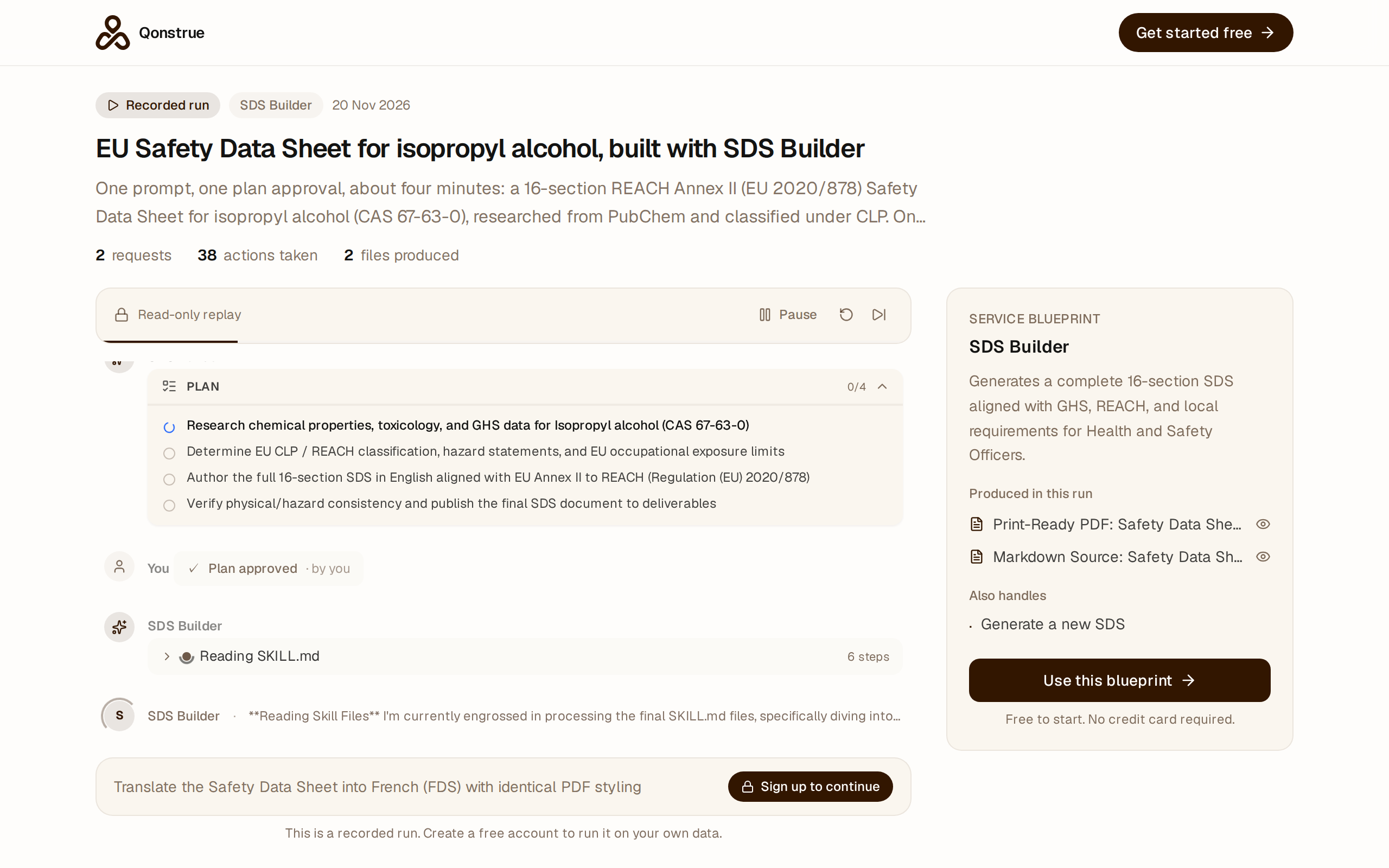
What we asked for
This is the entire prompt. It is the blueprint's own starter prompt with the blanks filled in:
Create a new Safety Data Sheet for Isopropyl alcohol (CAS 67-63-0) in the European Union, in English.
Nothing was uploaded and nothing was set up beforehand. We installed the blueprint from the community into a fresh workspace and started typing.
What happened in those four minutes
The blueprint brings seven specialist skills: input capture, substance research, a PubChem lookup, hazard classification, regulatory rules, section authoring and a consistency check. Before it did anything, the agent laid out a four-step plan and waited for approval:
- Research the chemical properties, toxicology and GHS data for isopropyl alcohol.
- Determine the EU CLP/REACH classification, hazard statements and occupational exposure limits.
- Write all 16 sections in English, following REACH Annex II (Regulation (EU) 2020/878).
- Check the physical and hazard data for consistency, then publish the finished SDS to deliverables.
After one click on Approve & Execute it took 24 actions. It queried PubChem (CID 3776) for identifiers, physical properties and LD50/LC50 values, loaded DNEL and PNEC values, worked out the classification from those figures, wrote the sheet and attached it to the workspace as a file. The run needed no other input.
What came out
The result is a 51 KB Markdown file with every section in place. The parts that take longest by hand were right:
- Classification (Section 2): Flam. Liq. 2 (H225), Eye Irrit. 2 (H319), STOT SE 3 (H336), signal word Danger, pictograms GHS02 and GHS07. These match isopropanol's harmonised CLP entry (index 603-117-00-0).
- Physical data (Section 9): flash point 12 °C (closed cup) and boiling point about 82.4 °C. Those figures support the H225 classification, and the closing table in Section 16 says so.
- Exposure controls (Section 8): a member-state table of exposure limits (for example the Austrian MAK of 200 ppm), plus DNELs for workers and consumers.
- Transport (Section 14): UN 1219, ISOPROPANOL (ISOPROPYL ALCOHOL), Class 3, Packing Group II, Kemler code 33, ADR tunnel code D/E.
- Regulatory (Section 15): Seveso III category P5c, with the waste codes carried through from Section 13.
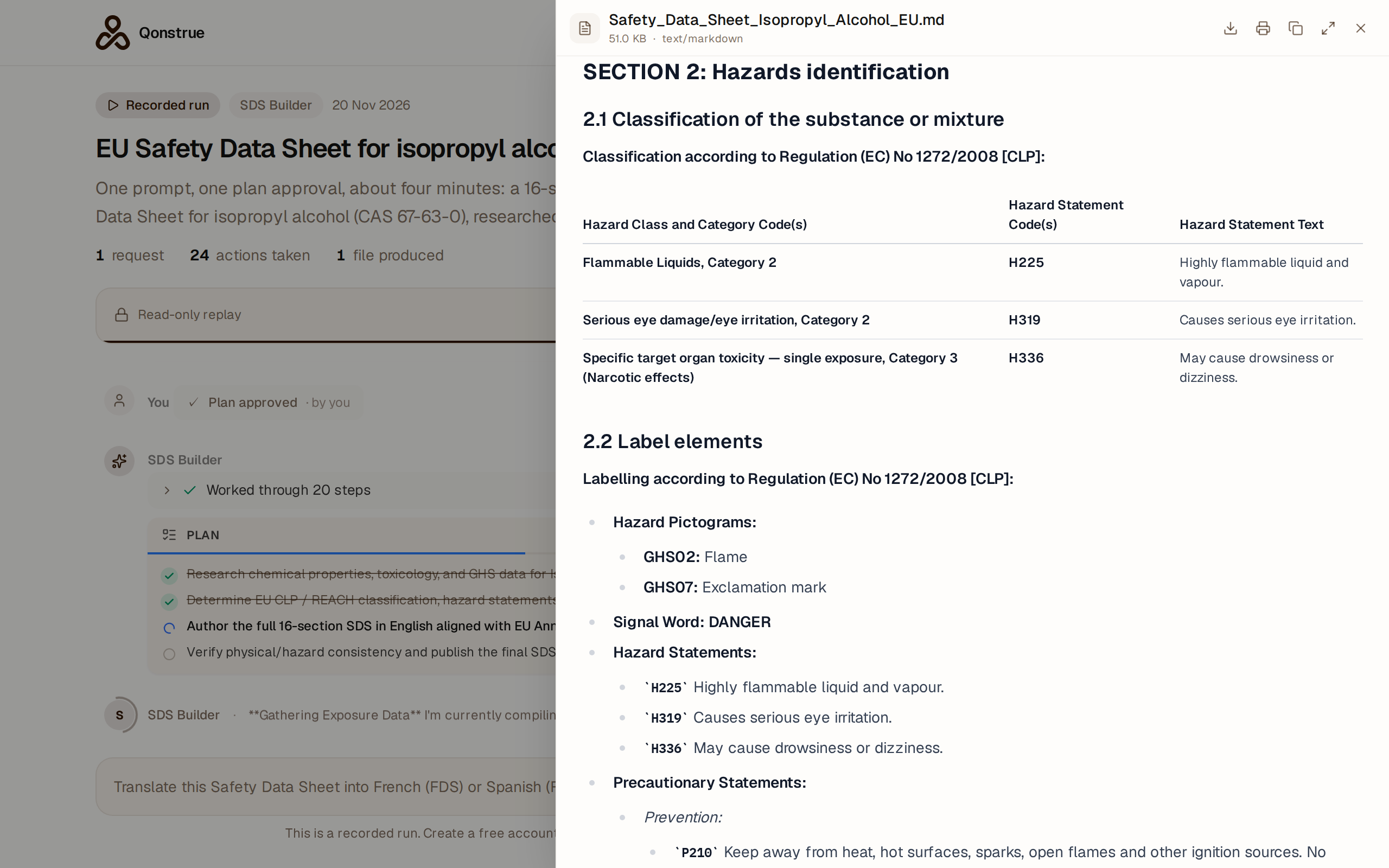
From Markdown to a print-ready PDF
A Markdown file is easy to review and diff, but nobody hands one to a site manager. So in the same conversation we asked for:
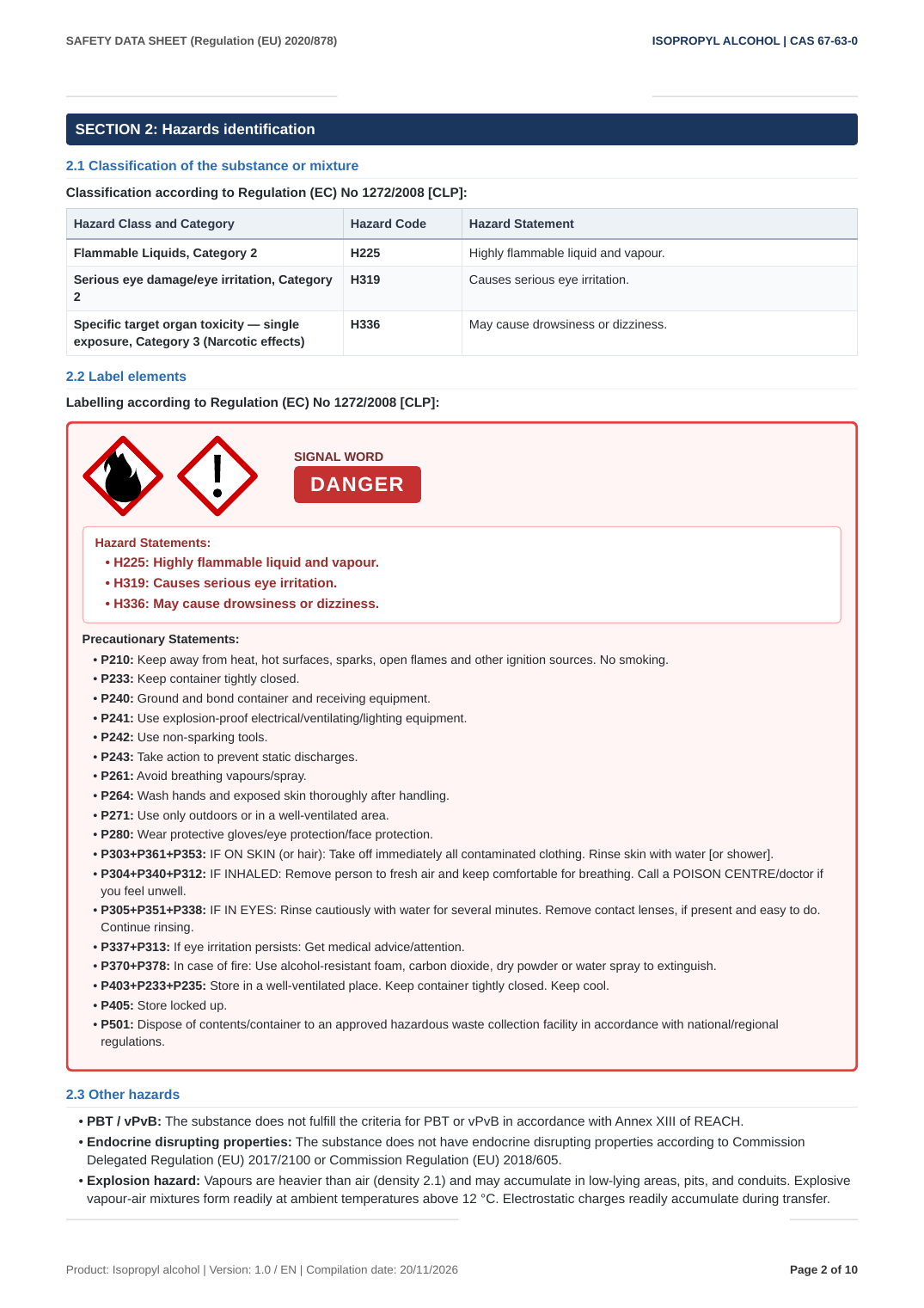
Turn this Safety Data Sheet into a well-structured, print-ready PDF. Keep the 16 numbered sections with clear headings and the tables, show the GHS pictograms and signal word prominently in section 2, and add page numbers plus a footer with the product name, version and revision date. Keep the Markdown version as well.
It proposed a plan, we approved it, and about three and a half minutes later the workspace had a 10-page A4 PDF next to the Markdown source. The PDF has a running header (regulation on the left, product and CAS number on the right) and a footer with the product, version, compilation date and "Page X of 10". Each section starts under a numbered heading bar, and Section 2 shows the flame and exclamation-mark pictograms beside a red DANGER signal word, with the hazard statements boxed underneath.
At the end of the first run it suggested sensible next steps: translate the sheet into French or Spanish, generate an extended SDS exposure-scenario annex, or write a COSHH / GefStoffV workplace risk assessment from the same data.
What you still have to do
The four minutes cover the research and the drafting. The responsibility still sits with you, and a few fields can only come from your own company:
- Supplier details (Section 1). The run filled in a placeholder company, address and emergency number. Replace them with your own legal entity and a 24-hour emergency line that actually works.
- REACH registration number. The draft ends the number in
-XXXX, because only the registrant knows the full one. Fill in your own, or your supplier's if you are a downstream user. - Competent-person review. REACH requires an SDS to be compiled by a competent person. Treat this as a very good first draft, not a signed-off document. Check the exposure limits for the countries you actually ship to, and confirm the identified uses match your product.
- Mixtures. This run covered a single substance. For a mixture you will need to give the composition, and the classification will depend on the concentrations you give.
In practice, the morning of drafting becomes a few minutes of generation followed by a focused review. You spend your time checking work instead of assembling it.
Run it yourself
The SDS Builder is free in the community. Install it, open the workspace it creates, and use the Generate a new SDS starter prompt with your own product name and jurisdiction. It supports English, French and Spanish output.
B Blueprint by Amy Hoover SDS Builder Generate a complete 16-section Safety Data Sheet. Free View and installIf you try it on a substance with a less tidy dataset than isopropanol, please leave a comment. I'd like to know where it holds up and where it needs a human sooner.